
Browser notifications and sound
Show a Chrome notification on the computer running StudyChime, with an optional sound. No external messaging account is required.
StudyChime features
StudyChime is an independent Chrome extension that watches the Prolific studies page you keep open and sends private alerts through the notification methods you choose.
It is a notifier, not an auto-accepting tool: it does not refresh Prolific, reserve places, complete studies, submit responses, or act on your behalf.
Notification methods
Every option begins with the same open Prolific studies page in Chrome. Browser alerts stay on the computer; external providers can carry the message to a phone or another signed-in device.
Show a Chrome notification on the computer running StudyChime, with an optional sound. No external messaging account is required.
Send matching study details to a private Discord channel through a webhook you create and control.
Use your own Telegram bot to deliver private messages across devices. After you start or message the bot, StudyChime can discover your private Chat ID during setup.
Connect a Pushover user key and application token when you prefer a dedicated push-notification app.
Want alerts on a phone? Compare the setup, privacy considerations and trade-offs in theDiscord vs Telegram vs Pushover phone guide.
Premium filters
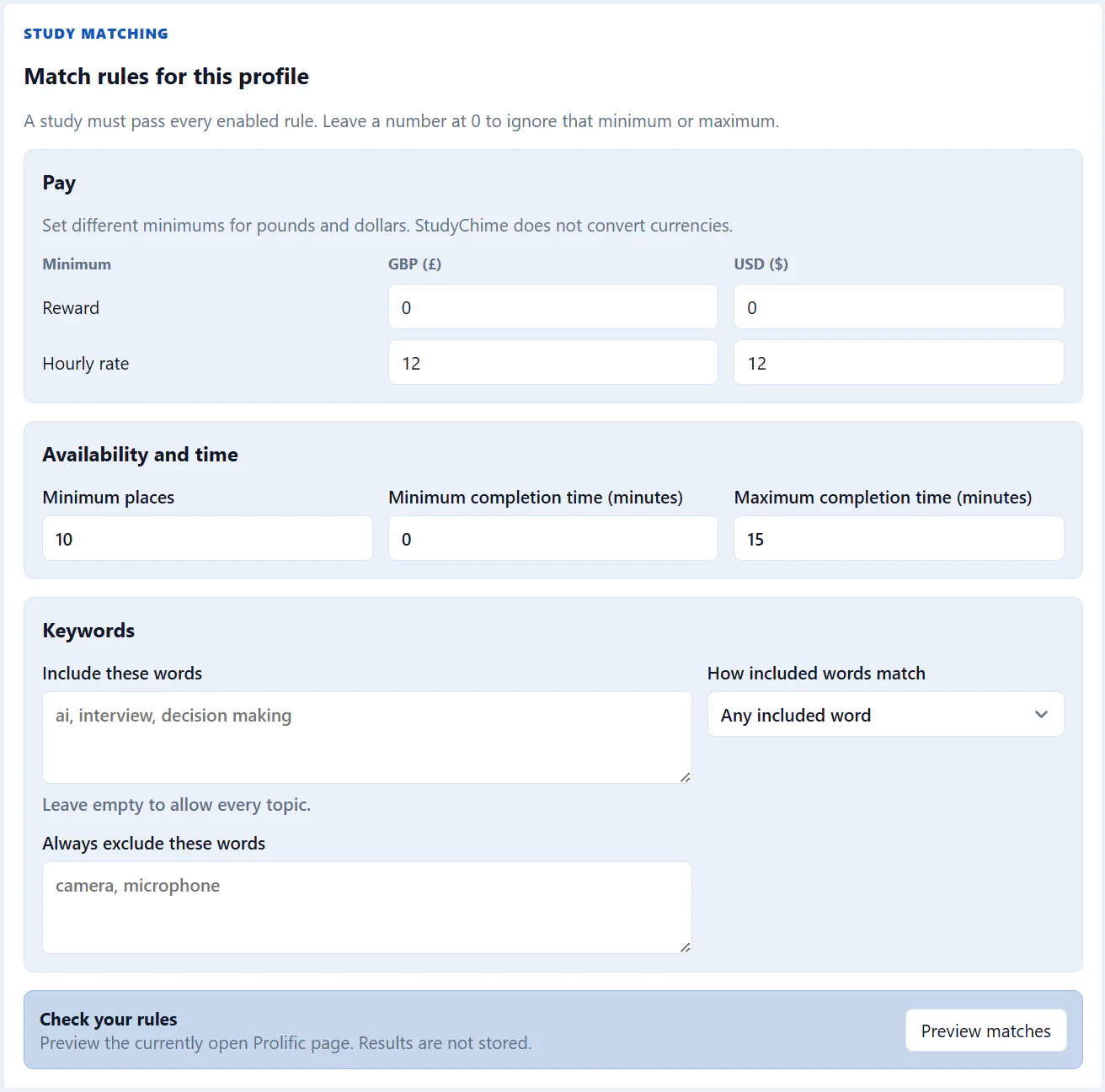
Build reusable profiles with independent GBP and USD minimum rewards and hourly rates, minimum places available, and minimum or maximum completion times. A value of zero leaves that particular limit switched off.
Add included words or phrases using Any or Every matching, and add excluded terms that always take priority. The live preview checks the studies currently visible without saving the profile or adding those results to Trends.
Filters decide which visible studies trigger an alert; they do not change what Prolific displays or reserve a place.
Premium schedules
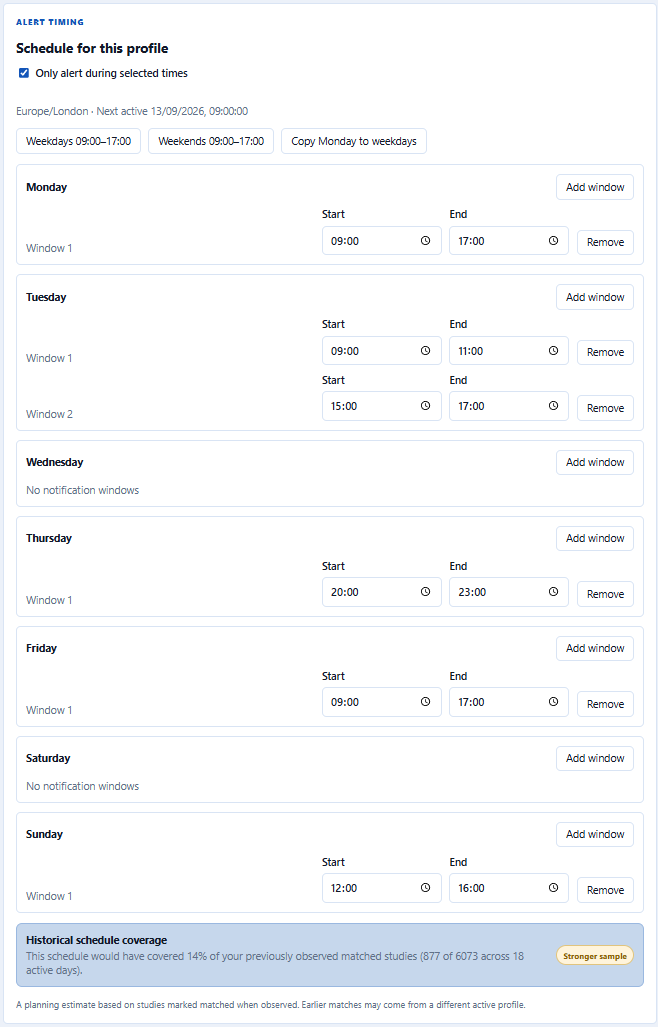
Choose active days and add multiple alert windows to the same day. Weekday and weekend shortcuts make common routines quick to configure, while the next-active summary shows when scheduled alerts will resume in your local timezone.
Each schedule is saved with its filter profile, so switching profiles changes both what can match and when an alert may be sent. Monitoring remains connected outside an active window; only alert delivery is paused.
A local coverage preview can compare a proposed schedule with previously observed matched studies and show the supporting sample size. It is a planning aid, not a prediction or guarantee.
Premium Study Trends
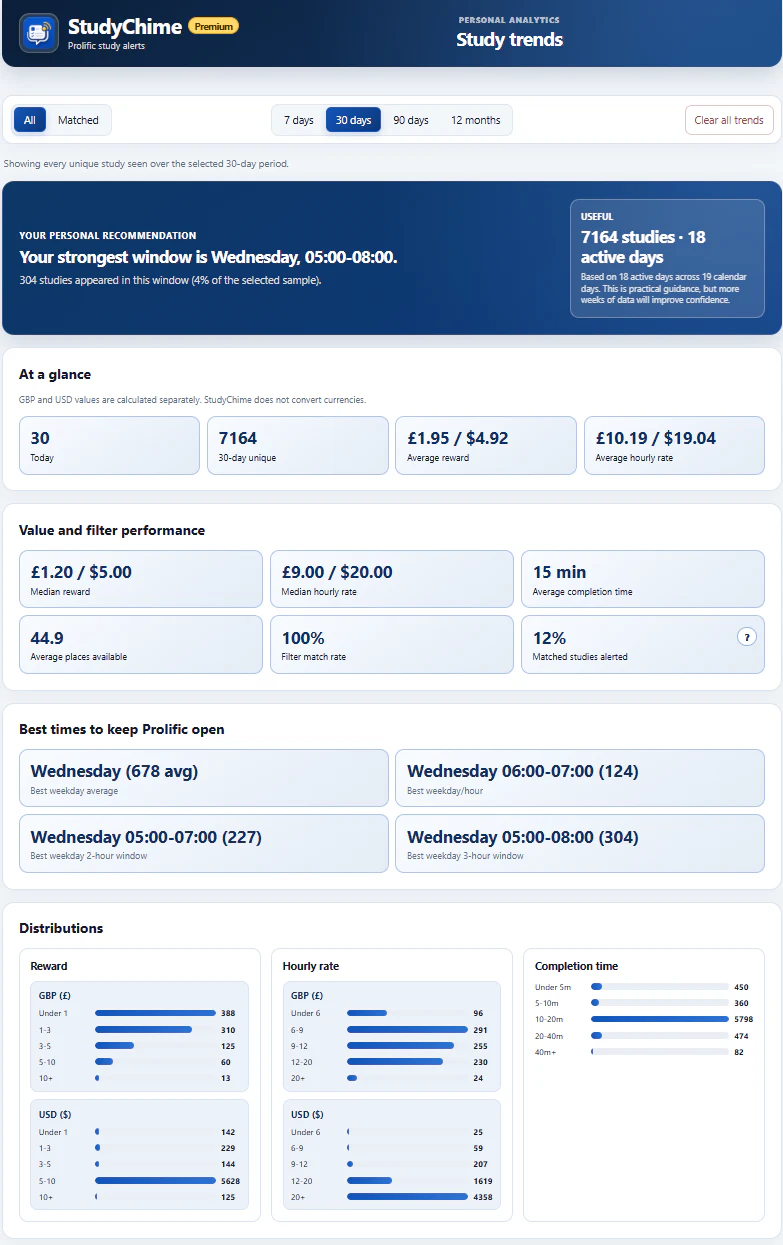
Explore every unique study observed or focus on studies that matched your filters across 7 days, 30 days, 90 days, or 12 months. StudyChime highlights counts, average and median reward, hourly rates, completion time, available places, and filter performance.
Personal recommendations identify stronger weekdays and time windows, with an explicit sample-strength label so a small early signal is not presented as a confident pattern. GBP and USD values are always calculated separately rather than converted.
Trends stays local for up to 12 months and omits study titles, researcher names, descriptions, and URLs. You can transfer the privacy-minimised observations using CSV.
Monitoring
The popup reports whether StudyChime is connected and shows the latest Available, Matched and Alerted counts. You can run a manual check, snooze alerts for 30 minutes, or resume them without disabling monitoring.
A local health check can restore StudyChime's monitoring script if Chrome has disconnected it. That recovery is limited to the open studies page and does not refresh, navigate or modify Prolific.
Why alarms and scripting permissions are used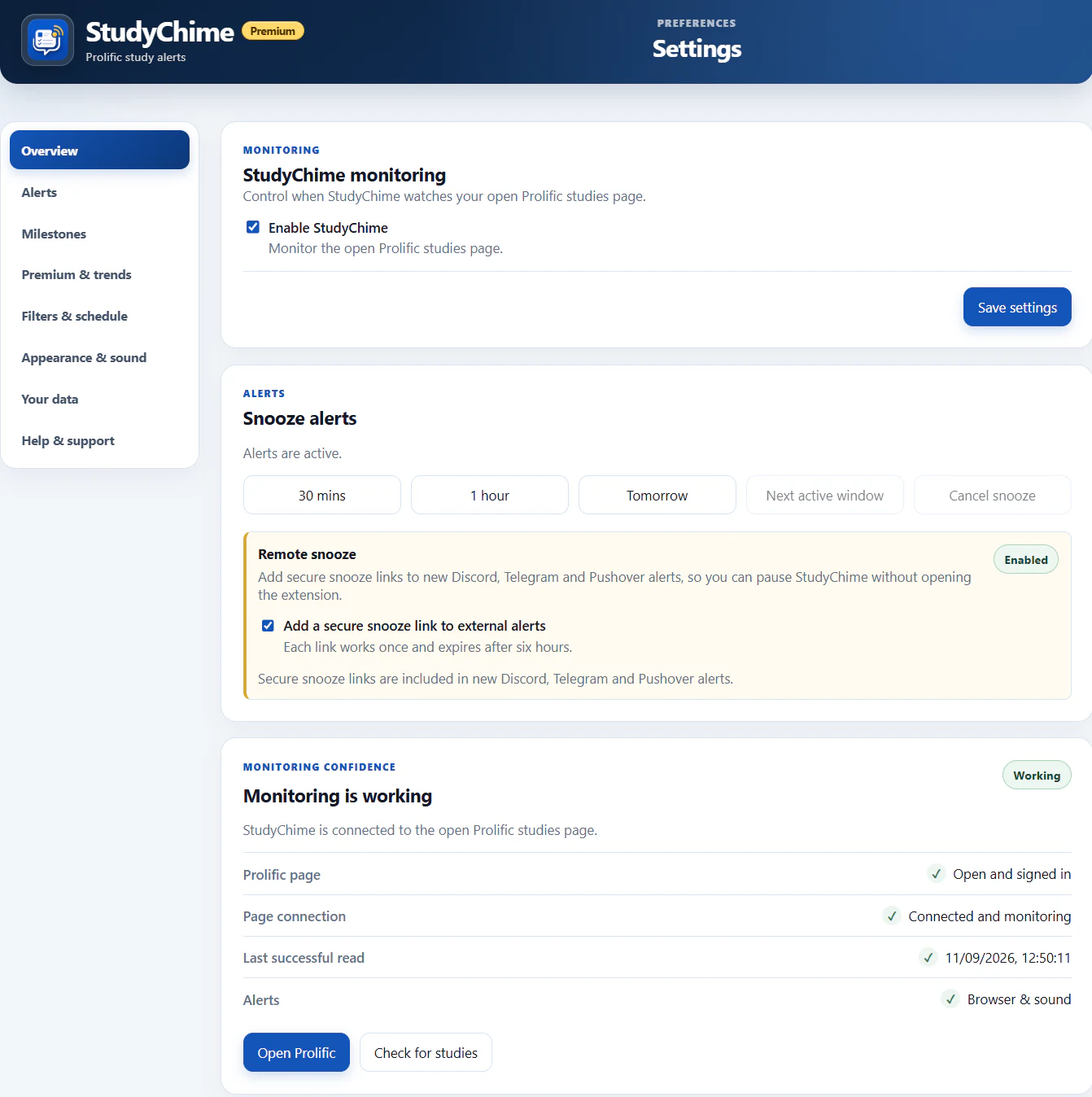
Local milestones
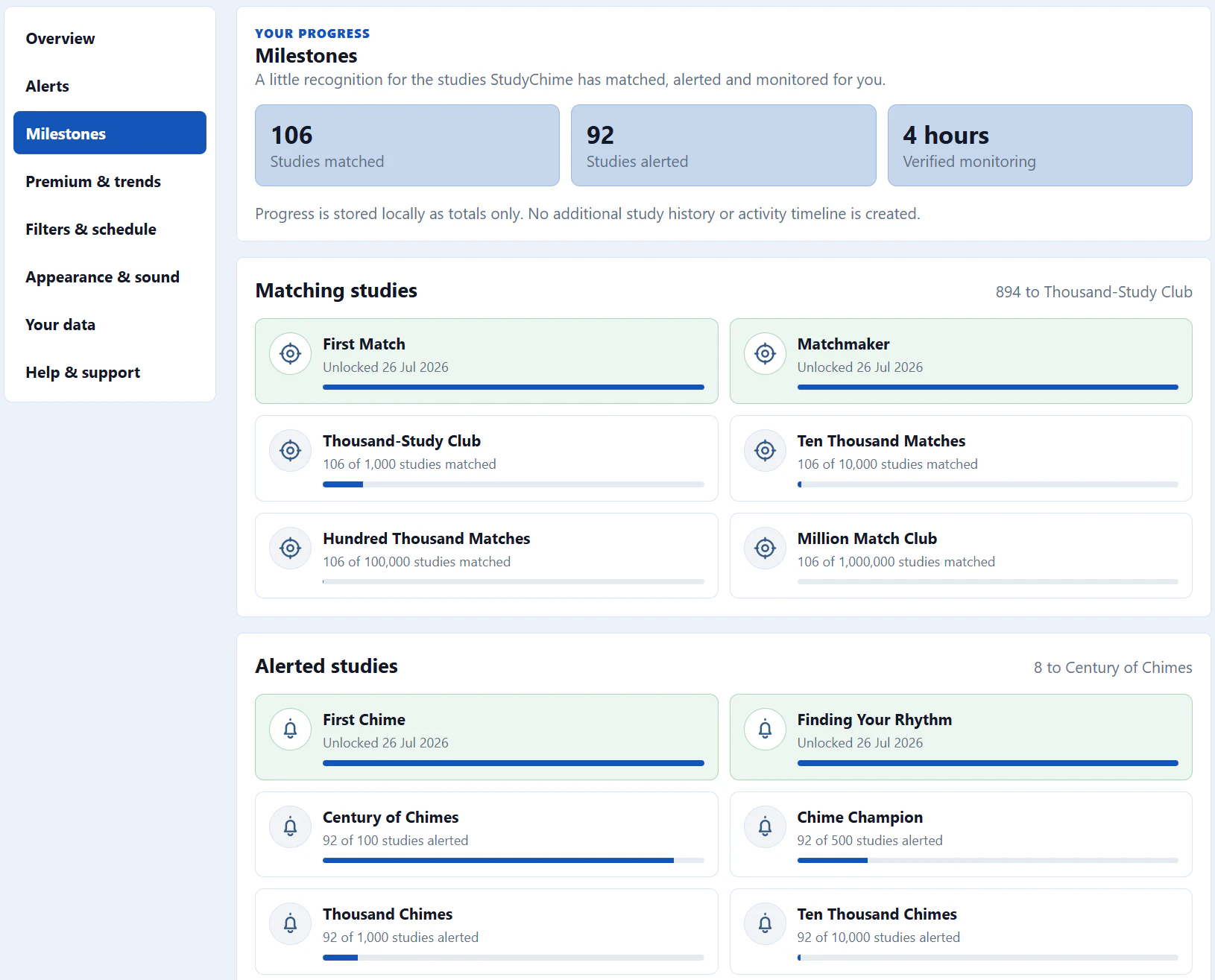
Free and Premium users can unlock milestones for studies that passed the active profile, studies where at least one alert succeeded, and verified monitoring time.
StudyChime keeps only totals and permanent unlocks in local Chrome storage. It does not add study titles, researcher names, descriptions, URLs, or exact activity timestamps, and milestone progress is never sent to StudyChime.
Verified monitoring time counts only between checks that confirm monitoring is enabled and a signed-in Prolific studies page is open and responding. It is not general browsing or computer-usage history.
Privacy and architecture
Monitoring, milestones, Remote snooze, appearance, and data transfer support the main alert workflow without automating Prolific.
Use the secure link in a Discord, Telegram or Pushover alert to pause alerts, then resume that remote snooze from the same link.
Choose a built-in or custom alert sound and an accent colour that fits your setup.
Track aggregate matched-study, successful-alert, and verified-monitoring progress on your device.
Export non-sensitive settings as JSON and privacy-minimised Trends observations as CSV.
Free and Premium
The free version supports browser alerts and 5 external-alert batches in a rolling 24-hour period, shared across Discord, Telegram and Pushover. A batch can include several studies and destinations. Premium removes that external-alert limit and unlocks the controls below.
| Feature | Free | Premium£4.99 one-time paymentLifetime access |
|---|---|---|
| Monitor your open Prolific studies page | Included | Included |
| Manual check button | Included | Included |
| Browser notifications and sound alerts | Included | Included |
| Non-sensitive settings backup | Included | Included |
| Local milestones and progress | Included | Included |
| Help, feature request, and bug-report email drafts | Included | Included |
| Discord, Telegram, and Pushover alerts | 5 batches per rolling 24-hour period | Unlimited alerts |
| Remote snooze and resume from external alerts | - | Included |
| Filter profiles with separate GBP/USD rules | - | Included |
| Profile-based alert schedules | - | Included |
| Historical schedule-coverage estimate | - | Included |
| Custom alert sound and accent colour | - | Included |
| Local-first Study Trends with CSV transfer | - | Included |
Complete Quick Start, choose the alert methods you need, and connect the Prolific studies page you keep open.