
1
Browser and private phone alerts
Use Chrome notifications and sound, or send matching study details to your own Discord, Telegram, or Pushover destination.
Compare Prolific notification methodsChrome extension for Prolific
Smarter Prolific alerts for your browser, phone, and daily routine.
StudyChime watches the Prolific studies page you already have open, filters the studies you care about, and alerts you through the destinations you choose.
It does not reserve, accept, refresh, complete, or submit studies on your behalf.
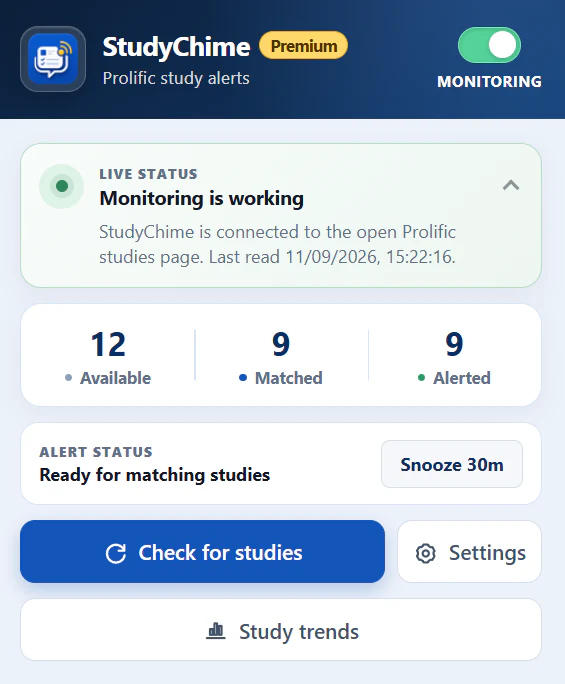
What StudyChime does
Choose where alerts appear, what should match, when you want to hear about it, and how you review your own local study patterns.
Use Chrome notifications and sound, or send matching study details to your own Discord, Telegram, or Pushover destination.
Compare Prolific notification methodsCreate profiles with separate GBP and USD rules, places and completion-time limits, and included or excluded keywords.
Explore Prolific study filtersKeep filters and multiple daily alert windows together, then switch profiles when your availability changes.
See how alert schedules workReview private study patterns, sample strength, pay ranges, useful times, and milestone totals stored on your device.
Explore local Study TrendsHow it works
Sign in normally and leave the Prolific studies page available in Chrome.
Select destinations and, with Premium, save the filters and schedule that fit your routine.
StudyChime notifies you. It never accepts, reserves, refreshes, or submits a study for you.
Clear boundaries
The StudyChime extension reads the studies page you keep open. Settings, filters, milestones, and Trends remain local; external study alerts go only to services you configure.
Notification options
Browser alerts stay on your computer. Discord, Telegram, and Pushover can deliver private alerts to your phone while the signed-in Prolific page remains open on your computer.
Free and Premium
Free includes browser alerts, local milestones, and 10 external alert batches per rolling 24-hour period. Premium adds unlimited external alerts, filters, schedules, Remote snooze, customisation, and local Study Trends.
Inside StudyChime
Open any screenshot for a closer look at monitoring, filters, and local trends.